The Choice Limit feature allows you to set a maximum number of times each option can be selected in your form.
Once an option reaches its configured limit, Choice Limiter automatically removes that option from the form, so customers can no longer select it.
This is useful when you have a limited number of spots, items, seats, appointments, or other choices available.
How Choice Limit Works #
For each option, you can define the maximum number of selections allowed.
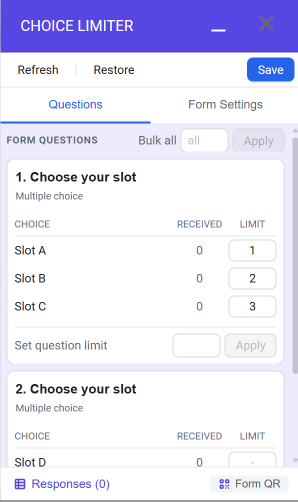
If Slot A has already been selected 1 time, it has reached its limit. Choice Limiter will automatically remove Slot A from the available options.
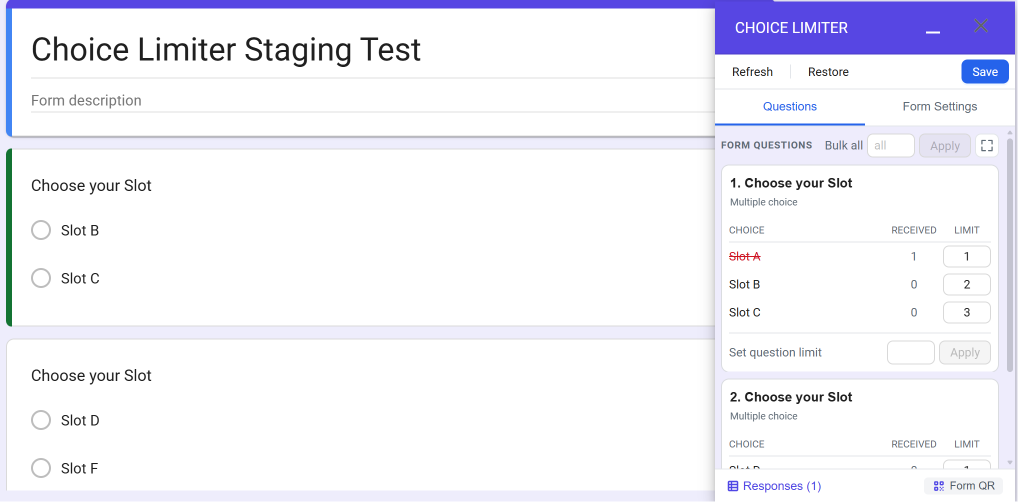
Customers who open the form after the limit has been reached will no longer see Slot A as an available choice. Other options remain available until their respective limits are reached.
Setting Up #
To set a limit for an option:
- Go to Google Forms and select the form you want to configure.
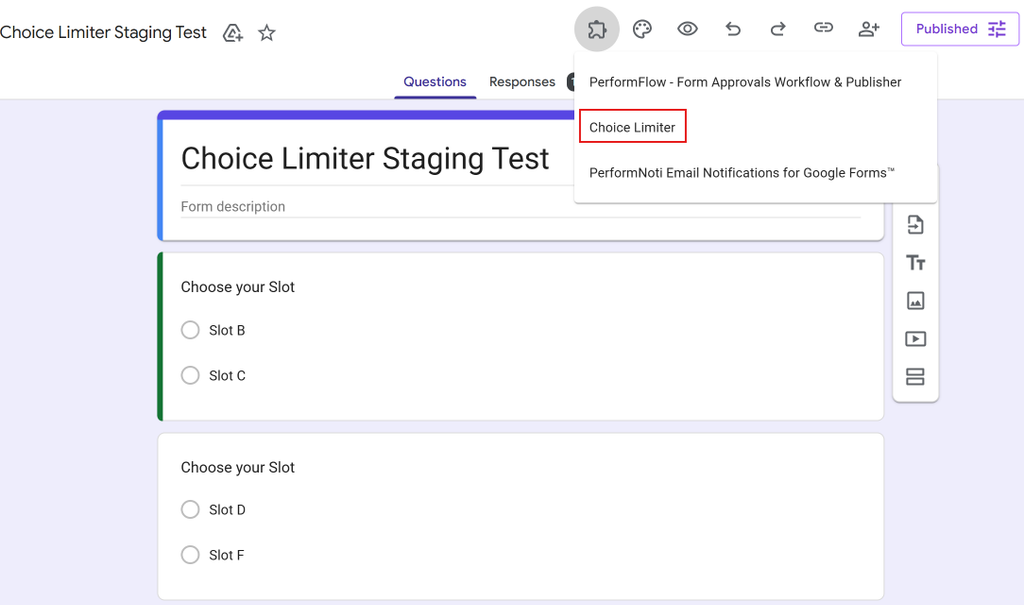
- Open the Choice Limiter add-on.
- Select the question containing the options you want to limit and set the maximum number of selections allowed for each option.
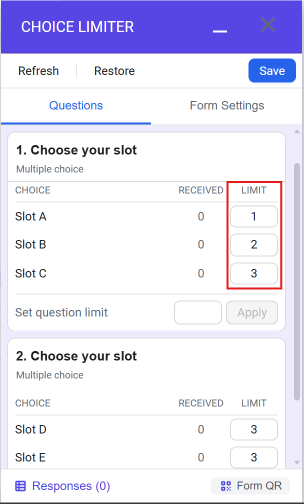
- Click the Save button to save your settings.
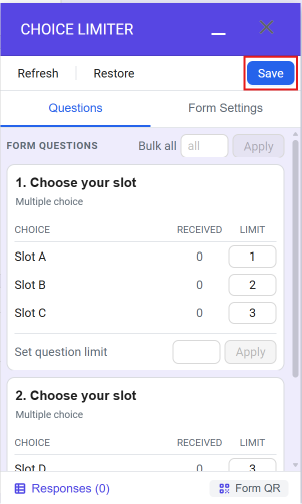
Once the limits are configured, Choice Limiter will automatically track how many times each option has been selected and remove it seamlessly.


