With Choice Limiter, you can automatically hide or cross out options when they reach capacity. Automate availability, streamline sign-ups, and manage event registrations with ease.
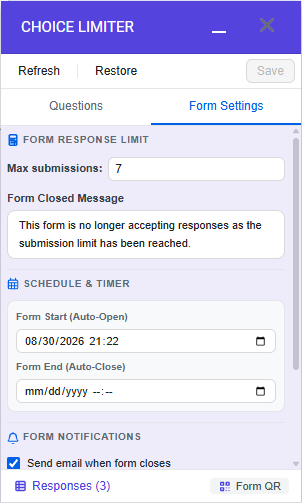
Automatically lock your form with a custom closed message by setting maximum submission limits or scheduling precise open and close times.
ChoiceLimits&Alerts
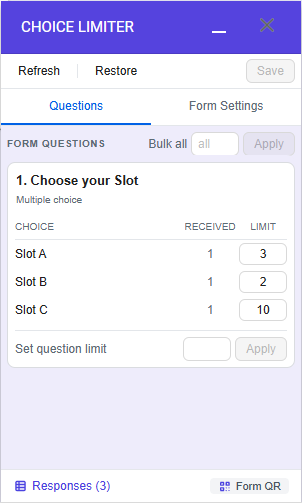
Apply capacity limits to individual choices or entire questions with a single click, and receive instant email alerts the moment an option fills up.
AdvancedResponse Manager
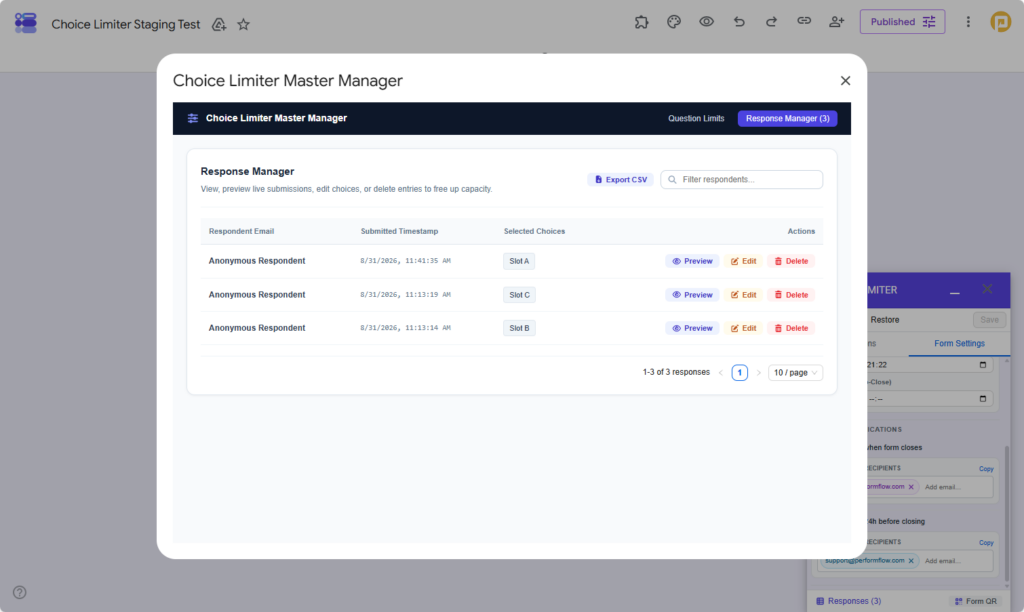
Manage submissions from a centralized dashboard where editing or deleting a canceled response automatically recalculates capacity and reopens the freed slot.
SmartEmailNotifications
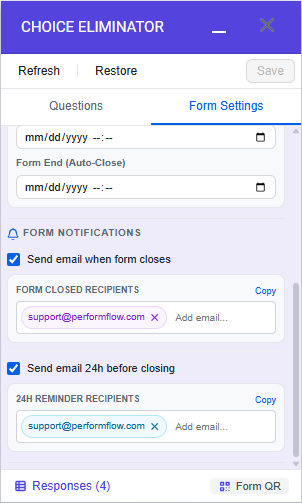
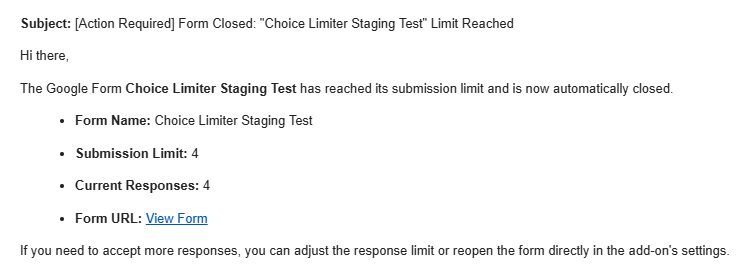
Stay updated effortlessly by configuring automated email notifications that trigger 24 hours before closing or exactly when your form reaches capacity.
Workspace & QuickSharing
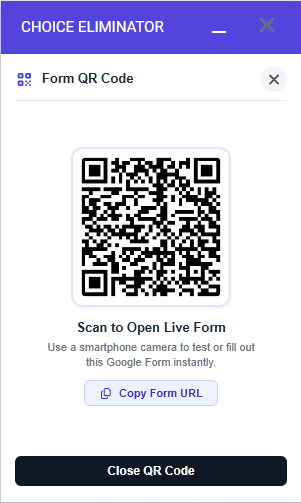
Share your active form quickly using dynamically generated QR codes, and use the one-click restore button to reset all counts instantly for your next session.
Our guarantees
30-day money-back guarantee
Try Choice Limiter risk-free for 30 days with a full refund if you’re not satisfied.
No coding required
Use Choice Limiter for Google Forms with no coding or technical skills needed.
Quick customer service
Get replies from our Support Team within 24 hours on weekdays.